5 Best Mechanical Keyboards for Work and Gaming in 2026
From quiet office-friendly switches to feature-packed gaming boards, the right mechanical keyboard can improve comfort, speed, and control across long workdays and late-night sessions.
Transparency Note
Five Picks is supported through advertising and affiliate partnerships. Our recommendations come from independent research and our own editorial judgment. If you choose to purchase a product through a link on our site, we may receive a commission at no additional cost to you.
Top 5 at a Glance
Quick comparison of our top picks
| Product | FivePicks Score | Price | ||
|---|---|---|---|---|
| 1 | 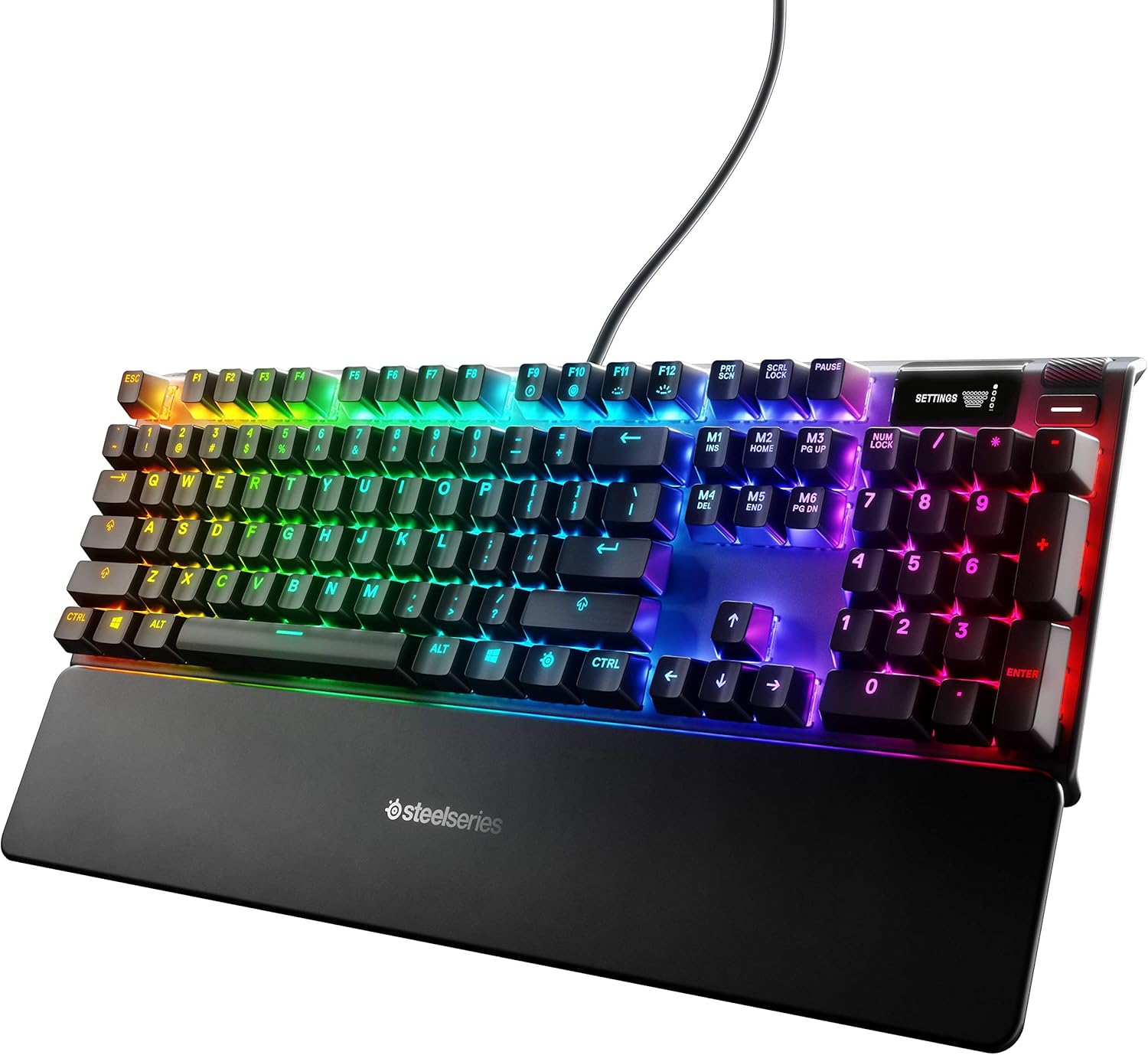 SteelSeries Apex 7 Mechanical Gaming KeyboardBest Overall | 4.7/5 | $160 | |
| 2 |  Newmen GM611 Mechanical KeyboardBest Budget | 4.6/5 | $18 | |
| 3 |  Corsair K100 RGB Mechanical Gaming KeyboardBest Premium | 4.4/5 | $250 | |
| 4 | 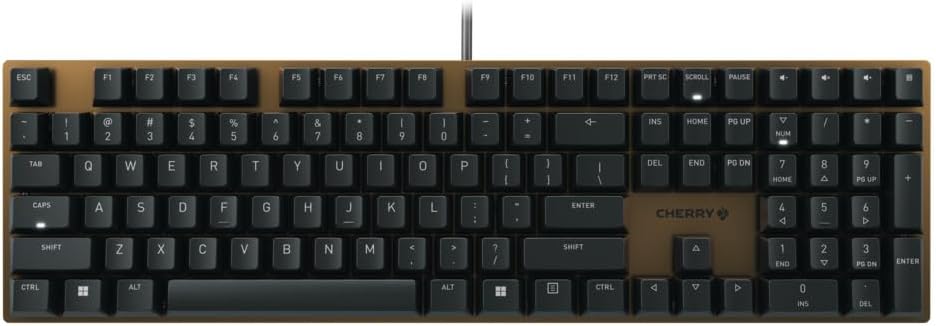 Cherry KC 200 MX Mechanical Office KeyboardBest for Office | 4.6/5 | $80 | |
| 5 |  RK ROYAL KLUDGE X87 Mechanical KeyboardBest Value | 4.6/5 | $40 |
SteelSeries Apex 7 Mechanical Gaming Keyboard
Newmen GM611 Mechanical Keyboard
Corsair K100 RGB Mechanical Gaming Keyboard
Cherry KC 200 MX Mechanical Office Keyboard
RK ROYAL KLUDGE X87 Mechanical Keyboard
SteelSeries Apex 7 Mechanical Gaming Keyboard
FivePicks Score
Strengths
- OLED display is genuinely useful for quick info
- Premium aluminum construction feels sturdy
- Dedicated media controls improve daily usability
- USB passthrough is convenient for desk setups
Trade-offs
- Gaming styling may be too bold for some offices
- Costs more than simpler boards
The SteelSeries Apex 7 is the best overall pick because it balances serious gaming performance with practical features that make daily work smoother. The dedicated media controls and USB passthrough are the kind of quality-of-life extras you use constantly, and the board feels stable and premium thanks to its aluminum build. For a keyboard that can live on your desk all day, it checks the boxes for durability, convenience, and a confident typing feel.
The standout feature is the OLED display, which is more useful than it sounds once you get used to having quick info and settings access without alt-tabbing. It is still a “gaming” keyboard at heart, so if you prefer a very minimal office look this may be more flair than you want. But if you want one board that does everything well, this is the most complete package in the list.
Newmen GM611 Mechanical Keyboard
FivePicks Score
Strengths
- Extremely affordable for a mechanical keyboard
- Compact 60% layout saves desk space
- Backlighting adds visibility and style
- Anti-ghosting helps in games
Trade-offs
- Compact layout is not ideal for heavy office navigation
- Less premium materials and feel
The Newmen GM611 is the best budget pick because it delivers the core mechanical keyboard experience at a price that is hard to beat. The 60% layout frees up desk space and is easy to carry, which makes it a surprisingly good option for students, shared workstations, or anyone setting up a second desk without spending much.
You do give up some conveniences, especially if you rely heavily on dedicated arrow keys or a full-size layout for spreadsheets and office shortcuts. Still, for basic typing and casual gaming, it covers the essentials, adds fun backlighting, and supports anti-ghosting so inputs do not get lost during faster play.
Corsair K100 RGB Mechanical Gaming Keyboard
FivePicks Score
Strengths
- Top-tier performance and responsiveness
- Premium materials and solid build
- Highly customizable lighting and controls
- Great for enthusiast setups
Trade-offs
- High price for most users
- Feature-heavy design is not minimalist
The Corsair K100 is the best premium choice for people who want an uncompromising flagship keyboard with top-tier speed, customization, and build quality. It is designed for competitive responsiveness, and the overall experience feels like a centerpiece product, from the aluminum frame to the high-end keycaps and lighting. If you like to tune your setup, it has the sort of software ecosystem and polish that premium buyers expect.
The trade-off is simple: it is expensive and unapologetically feature-rich, which can be overkill if you just want a clean keyboard for emails and spreadsheets. But if you want the most advanced board here for gaming performance and deep customization, this is the one.
Cherry KC 200 MX Mechanical Office Keyboard
FivePicks Score
Strengths
- Quieter switch option suits shared offices
- Metal plate frame adds stability
- Clean, professional design
- Strong typing feel for long sessions
Trade-offs
- Fewer gaming-oriented features
- Less customization than enthusiast boards
The CHERRY KC 200 MX is the best for office use because it focuses on what matters at work: a clean layout, reliable switches, and quieter operation that is less distracting in shared spaces. With its MX2A Silent Red switches and a metal plate frame, it aims for a more refined typing feel while keeping noise controlled, which is a big deal if you type all day and do not want to annoy everyone around you.
It does not chase gaming extras like RGB spectacle or macro-heavy control decks, and that is the point. If you want a mechanical keyboard that fits professional environments and still feels satisfying to type on, this one is a smart, straightforward choice.
RK ROYAL KLUDGE X87 Mechanical Keyboard
FivePicks Score
Strengths
- Excellent feature set for the price
- 75% layout balances space and usability
- Gasket structure improves feel and sound
- Good fit for work and gaming
Trade-offs
- Aesthetic is not for everyone
- Not as refined as premium models
The RK ROYAL KLUDGE X87 is the best value pick because it gives you a modern 75% layout with enthusiast-style features at a price that is usually reserved for basic boards. The gasket-style structure and layered dampening are meant to reduce vibration and improve the feel and sound of each press, which makes it a strong choice if you want a more comfortable typing experience without paying premium money.
It is also a practical size for mixed work and gaming, keeping desk space open while still feeling less cramped than a 60% board. The main trade-off is that the styling leans playful, and long-term refinement may not match high-end models. But for the money, it offers a surprisingly satisfying daily experience.
Buying Guide
Start by choosing a layout that matches your daily workflow. Full-size boards are great for spreadsheets and number entry, while 75% and 60% layouts save desk space and bring the mouse closer for better shoulder comfort. If you switch between work and gaming, a 75% layout often strikes the best balance between compact size and everyday navigation keys.
Next, think about switch feel and noise. Linear switches are typically smooth and fast, tactile switches give clearer feedback for typing, and clicky switches are louder and more expressive. If you share a space, quieter switch options matter more than most people expect. Build quality also counts, since sturdier frames reduce flex and can make long typing sessions feel more consistent.
Frequently Asked Questions
Common questions about our top picks
A 75% layout is a common sweet spot because it saves space while keeping navigation keys that are useful for work and shortcuts.
They can be, but silent or quieter switch options reduce noise significantly and are a better fit for shared spaces.
They usually improve build quality, stability, and customization, while performance gains are most noticeable for competitive gaming and heavy daily use.